In the modern age of digital photography, having access to powerful tools that streamline photo editing is a must for both professional photographers and hobbyists alike. With the rise of artificial intelligence (AI), photo editing has become more efficient, intuitive, and accessible. One such innovation is the AI photo batch editor, which can handle multiple images at once, saving time and effort while delivering high-quality results. Whether you’re a photographer, designer, or social media manager, batch editing with AI can significantly improve your workflow.
This article will guide you through the best AI photo batch editors, their features, and how they can enhance your photo editing process. We’ll discuss the benefits of using these tools, what to look for, and how AI photo editors are transforming the way we process images.
What is AI Photo Batch Editing?
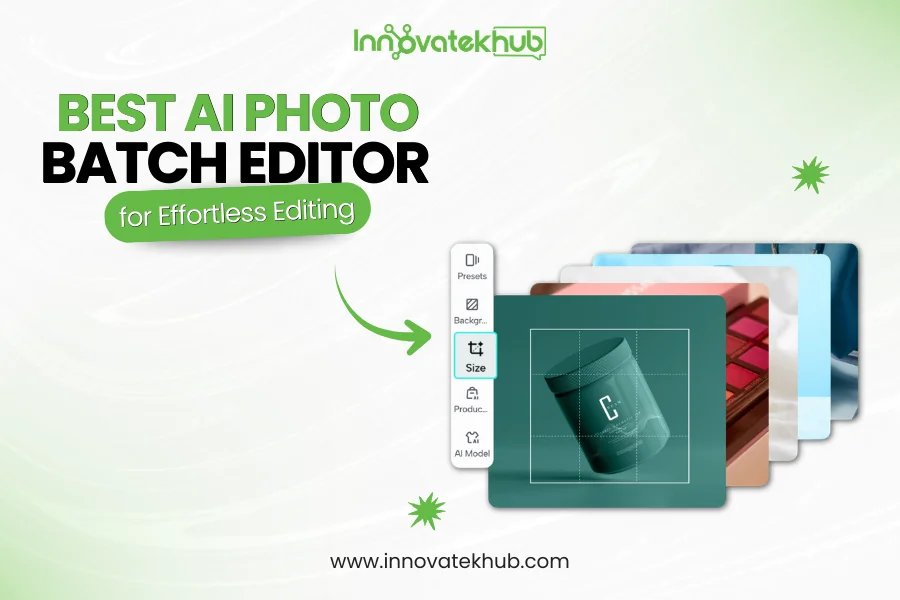
AI photo batch editing refers to the process of editing multiple photos simultaneously using artificial intelligence technology. Instead of editing each image individually, which can be time-consuming, batch editing allows you to apply the same adjustments, such as color correction, exposure, sharpening, or filters to an entire set of photos in one go. This can be particularly useful for photographers who need to edit large volumes of images, such as wedding, event, or product photographers.
The power of AI comes into play when the software analyzes the images and automatically makes adjustments based on various factors, like lighting, subject matter, and composition. This makes batch editing more efficient while maintaining a high level of consistency across all images.
Why Use an AI Photo Batch Editor?
Using AI technology for photo batch editing offers several advantages that traditional editing methods can’t match. Here are some key benefits:
1. Time Efficiency
Batch editing with AI allows you to make adjustments to hundreds or even thousands of photos at once. This can save you hours of work, especially if you’re dealing with large sets of photos that need to be edited consistently. AI can process multiple images in a fraction of the time it would take to edit each one manually.
2. Consistency
Consistency is crucial when editing photos for clients, portfolios, or social media. AI photo batch editors can apply the same settings and adjustments across all your images, ensuring that your photos maintain a uniform look. Whether you need to adjust the brightness, contrast, or color balance, AI ensures that each photo is edited with the same settings.
3. Quality Enhancements
AI-based photo editors are designed to analyze the content of each image and automatically apply the most appropriate edits. For example, the AI might enhance facial features in portraits or optimize the lighting and colors in a landscape. These automatic adjustments help enhance the quality of your photos without requiring manual intervention.
4. Ease of Use
Many AI photo editors are designed with user-friendly interfaces, making them accessible to beginners and professionals alike. With drag-and-drop functionality and automatic settings, these tools allow you to focus on your creative vision while AI takes care of the technical details.
5. Advanced Features
AI photo batch editors often come with advanced features that go beyond simple adjustments. From object removal and background enhancement to noise reduction and image sharpening, these tools can tackle complex editing tasks that would be difficult or time-consuming to do manually.
Top AI Photo Batch Editors
Now that we’ve covered the benefits, let’s take a look at some of the best AI-powered photo batch editors available today. These tools offer various features that cater to different editing needs, whether you’re working with professional photos or personal shots.
1. Luminar AI
Luminar AI is one of the most popular AI-driven photo editing tools on the market. It uses artificial intelligence to analyze each photo and make intelligent suggestions for improving the image. With its AI Structure feature, it automatically enhances details in landscapes and portraits, while its AI Sky Replacement can replace dull skies with more vibrant options in just a few clicks.
Key Features:
- AI-enhanced sky replacement
- AI portrait enhancement tools (skin retouching, eye brightening, etc.)
- Batch editing with automatic adjustments
- Smart contrast and light enhancement
- User-friendly interface
Luminar AI’s batch editing capabilities allow you to apply the same settings to multiple images quickly, making it ideal for photographers working with large collections of photos.
2. Adobe Lightroom Classic
Adobe Lightroom Classic is a powerful tool for photographers, and its batch editing capabilities are second to none. The software offers AI-powered tools for automatic adjustments, such as Auto Tone, which automatically corrects exposure, contrast, and color balance. Lightroom also features AI-based masking for fine-tuning specific areas of the image.
Key Features:
- AI-powered auto adjustments
- Batch processing for exposure, color, and sharpness
- Advanced masking and selection tools
- Seamless integration with other Adobe products
- Preset support for consistent editing styles
Lightroom Classic is perfect for professional photographers who need to maintain a high level of control over their images while still benefiting from AI-driven automation.
3. Topaz Studio 2
Topaz Studio 2 is another excellent AI photo batch editor that’s perfect for enhancing image quality. Topaz’s AI Clear and AI Enhance features are designed to automatically reduce noise and improve sharpness. This makes it particularly useful for photographers dealing with low-light images or photos that need fine detail enhancement.
Key Features:
- AI-based noise reduction and sharpening
- Image enhancement for more vibrant colors
- Powerful AI tools for detail enhancement
- Batch processing for noise reduction and sharpness
- Customizable presets for quick edits
Topaz Studio 2’s AI-driven tools are excellent for improving the overall quality of your photos, especially for fine-tuning images that need a bit of extra polish.
4. BatchPhoto AI
BatchPhoto AI is designed specifically for those looking to streamline their batch editing process. With this tool, you can apply a variety of edits to multiple photos simultaneously, including resizing, watermarking, and applying filters. Its AI engine helps automate the editing process, saving you time on repetitive tasks.
Key Features:
- Batch editing for resizing, cropping, and watermarking
- AI-powered enhancement for color, brightness, and contrast
- Customizable filters and effects
- Easy-to-use interface with drag-and-drop functionality
- Supports a wide range of image formats
BatchPhoto AI is perfect for users who need to edit large collections of photos quickly and efficiently while still maintaining high-quality results.
5. Fotor
Fotor is a beginner-friendly AI photo batch editor that offers a range of editing tools, including filters, effects, and basic image adjustments. The app’s AI Portrait Enhancement automatically retouches faces, smoothing skin, brightening eyes, and improving overall facial features. Fotor is a great option for users looking for a fast and simple way to enhance multiple images at once.
Key Features:
- AI-powered portrait enhancement
- Batch editing for applying filters and adjustments
- Easy-to-use interface with drag-and-drop
- Basic editing tools like cropping, resizing, and rotating
- Cloud storage integration for seamless workflow
Fotor is ideal for social media managers, content creators, and casual photographers who want to quickly improve their photos and maintain consistency across large batches.
Choosing the Best AI Photo Batch Editor
When selecting the best AI photo batch editor for your needs, consider the following factors:
1. Editing Features
Ensure that the AI photo batch editor offers the features you need for your workflow. Look for tools that support common editing tasks, such as color correction, noise reduction, and sharpness enhancement.
2. User Interface
A user-friendly interface is essential, especially if you’re new to photo editing. Choose an app with a clean, intuitive design that makes it easy to edit multiple photos at once.
Batch editing can be demanding on your computer, so it’s important to choose a tool that performs well without slowing down your workflow. Check user reviews and specifications to ensure the software can handle large volumes of images without lag.
4. Price
Many AI photo batch editors offer free trials, allowing you to test out the features before committing to a paid plan. Compare pricing options and subscription models to find one that fits your budget.
5. Support and Community
Look for tools that offer reliable customer support and a vibrant community. This can be especially helpful when you encounter issues or need assistance with learning the software.
Conclusion
AI photo batch editors are transforming the way we approach photo editing. Whether you’re a professional photographer or a social media content creator, these tools save you time, enhance your workflow, and ensure your photos are consistently edited to perfection. From automatic adjustments to advanced features like portrait enhancement and noise reduction, AI-driven editors are the future of efficient, high-quality photo processing.
By considering factors like editing features, ease of use, and performance, you can find the perfect AI photo batch editor for your needs and elevate your editing game to the next level.













No Comments