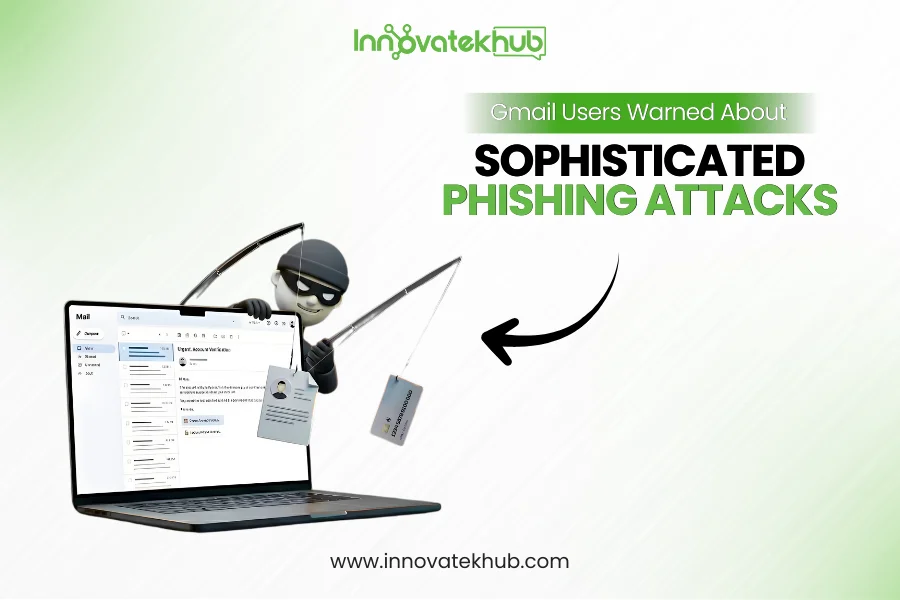
In recent months, Gmail users have found themselves increasingly vulnerable to highly sophisticated phishing attacks, often driven by advanced tactics and technologies. While phishing has been a well-known threat for years, cybercriminals have taken it to a new level by leveraging AI-driven methods to bypass security measures and trick unsuspecting individuals into compromising their personal information. In this article, we’ll explore these new phishing techniques, how to recognize them, and what steps you can take to protect yourself from falling victim to these evolving scams.
What Are Phishing Attacks?
Phishing attacks are deceptive attempts by cybercriminals to obtain sensitive information such as usernames, passwords, credit card numbers, and other personal data by masquerading as a trustworthy entity in electronic communications. Typically, phishing attacks occur via emails, fake websites, or social media platforms that look legitimate but are designed to steal personal data.
While traditional phishing emails often contain obvious red flags, like poor grammar or suspicious links, modern phishing tactics have evolved to make the attacks much more convincing and harder to detect. As a result, Gmail users are being warned about more sophisticated phishing schemes that are harder to spot.
The Rise of AI-Driven Phishing Attacks
Phishing attacks are becoming more advanced thanks to the use of artificial intelligence (AI) and machine learning technologies. Cybercriminals are now able to craft highly realistic phishing emails that look almost identical to legitimate messages from trusted sources, making them far harder to detect by the average user.
AI-driven phishing attacks use machine learning to analyze patterns in email communication, mimicking the language, tone, and formatting of emails from legitimate organizations. These attacks are increasingly personalized, with criminals using data harvested from previous interactions or social media profiles to craft convincing messages that are more likely to trick individuals into clicking malicious links or disclosing sensitive information.
Moreover, AI systems can automate the creation of phishing emails at scale, allowing attackers to target a much broader audience with little effort. They can even customize messages to suit the victim’s specific interests, job roles, or company, further enhancing the chances of success.
Why Gmail Users Are Targeted
Gmail is one of the most widely used email platforms in the world, making it a prime target for cybercriminals. With billions of active users, hackers are constantly attempting to breach Gmail accounts to gain access to sensitive personal and business information.
In addition to Gmail’s large user base, the platform’s sophisticated features, such as Google Docs, Google Drive, and Google Calendar, offer a wealth of opportunities for cybercriminals to exploit. A compromised Gmail account can grant access to a range of services, including cloud storage, private documents, and important communication channels.
Gmail’s popularity and its role in everyday communication make it an attractive target for phishing schemes. Attackers know that if they can trick Gmail users into providing their login credentials or personal information, they can wreak havoc on both the individual and their organization.
How AI-Driven Phishing Works: Understanding the Techniques
Phishing emails that are powered by AI take advantage of several key techniques to trick users into falling for scams. Some of the most common methods include:
1. Deep Learning for Email Content Generation
AI algorithms can analyze vast amounts of data to identify how emails are typically written by legitimate businesses. By mimicking the language, tone, and formatting of trusted emails, AI-driven phishing messages are designed to appear genuine. These messages may include personalized details, such as the recipient’s name, recent purchases, or even company information, all of which are gathered from public sources or previous interactions.
For example, a hacker might send an email posing as a colleague, referring to a recent email thread, and requesting that the recipient click on a link to access a document. Since the message appears relevant and credible, users are more likely to trust it.
2. Impersonation of Trusted Brands
Phishing emails often impersonate popular services like Google, PayPal, or Amazon, leveraging their recognizable logos, formatting, and language. With the help of AI, attackers can generate emails that look nearly identical to the real thing, down to the smallest details. These emails may instruct users to click on links that direct them to fake login pages designed to steal their credentials.
For instance, a phishing attack may masquerade as a security alert from Gmail itself, prompting users to click on a link to verify their account. Since the email looks like a legitimate notification, users may unknowingly hand over their login information.
3. Social Engineering for Increased Credibility
One of the most dangerous aspects of AI-driven phishing is its ability to carry out sophisticated social engineering attacks. AI tools can analyze data from social media profiles, public records, and previous email conversations to create messages that appear highly personal and contextually relevant.
For example, a phishing email might reference a recent company event, a holiday greeting, or an upcoming meeting, making it seem as though the email is coming from a trusted coworker or business partner. By exploiting this information, cybercriminals can craft messages that are far more likely to elicit a response.
4. Adaptive and Evolving Tactics
Traditional phishing emails often rely on generic messages that are sent to large groups of people. However, AI-driven phishing attacks are more adaptive and can change based on user behavior and feedback. For instance, if a phishing email doesn’t elicit the desired response, AI systems can adjust the content to increase its effectiveness.
These systems can also test multiple variations of phishing messages to see which ones perform best. As a result, AI-driven attacks become more difficult to detect over time as they continually evolve based on the data they receive.
Signs of AI-Driven Phishing Attacks
While AI-powered phishing attempts are becoming more convincing, there are still ways to recognize and protect yourself from these sophisticated scams. Here are a few signs that an email might be a phishing attempt:
1. Unusual or Unexpected Requests
If you receive an email asking you to perform an action that you weren’t expecting—such as resetting your password, confirming personal information, or making a payment—be cautious. Legitimate organizations rarely ask for sensitive information via email.
2. Suspicious Sender Addresses
Even though AI-driven phishing attacks can make emails look legitimate, they often come from suspicious or slightly altered email addresses. For instance, instead of “support@google.com,” the address might be something like “support@googl.com” with a missing letter or an extra character.
3. Too Good to Be True Offers
Phishing emails often promise offers that are too good to be true, such as unbelievable discounts or winning a contest you never entered. If the offer seems too good to be true, it probably is.
4. Spelling and Grammar Mistakes
While AI can generate convincing emails, there may still be subtle mistakes in the language, such as awkward phrasing, improper punctuation, or inconsistent formatting. These errors can be a sign of a phishing attempt.
5. Urgency and Pressure
Phishing attacks often create a sense of urgency, urging you to act quickly to avoid consequences like account suspension or unauthorized charges. This is a common tactic to pressure individuals into clicking on links without thoroughly thinking through the decision.
Protecting Yourself from AI-Driven Phishing
Now that you understand the risks and techniques associated with AI-powered phishing attacks, it’s important to take proactive steps to protect yourself. Here are several ways to defend against these sophisticated threats:
1. Enable Two-Factor Authentication (2FA)
Two-factor authentication adds an extra layer of protection to your Gmail account by requiring you to verify your identity using a second method, such as a code sent to your phone. Even if an attacker obtains your password through phishing, they will still need access to your second factor to log in.
2. Be Cautious with Links and Attachments
Before clicking on any link or opening an attachment in an email, always verify that it’s legitimate. Hover over links to see the URL they point to, and if the link looks suspicious or doesn’t match the expected domain, avoid clicking on it. If you’re unsure about an email, go directly to the website in question instead of using the provided link.
Many email platforms, including Gmail, offer advanced filtering and security tools that can help block phishing emails. Make sure these features are enabled, and consider using additional security software to help detect suspicious activity.
4. Check for Suspicious Activity
Regularly monitor your Gmail account for signs of unauthorized access. If you notice any strange activity, such as emails being sent from the account that you didn’t initiate, immediately change your password and review your account’s security settings.
5. Educate Yourself and Others
Stay informed about the latest phishing techniques and share this knowledge with friends, family, and colleagues. The more aware you are of potential threats, the better equipped you’ll be to recognize and avoid them.
Conclusion
As phishing attacks continue to evolve with the help of AI and machine learning, Gmail users must remain vigilant to protect themselves from these sophisticated scams. Cybercriminals are constantly refining their methods, making it essential to be cautious when dealing with unexpected requests or unfamiliar emails. By understanding how AI-driven phishing works and taking proactive steps to secure your accounts, you can significantly reduce the risk of falling victim to these deceptive attacks. Stay informed, use security features like two-factor authentication, and always trust your instincts when interacting with emails and online messages.














No Comments