Posters have long been a powerful medium for conveying messages, promoting events, advertising products, and creating stunning visual artworks. Whether it’s for a concert, a movie, a business event, or a personal project, a well-designed poster can grab attention and make a lasting impact. However, designing a professional and eye-catching poster has traditionally required graphic design skills, expensive software, or the help of a professional designer.
Enter the AI Poster Generator, an innovative tool that leverages artificial intelligence to make poster creation accessible to everyone, regardless of design experience. AI-driven poster generators are changing the game for businesses, event organizers, marketers, and even hobbyists by offering an easy-to-use, quick, and cost-effective solution for creating visually appealing posters.
In this article, we’ll explore what an AI poster generator is, how it works, its benefits, and how it is transforming the design industry. We will also review some of the best AI poster generators available today and guide you on how to use them to create stunning visuals.
What is an AI Poster Generator?
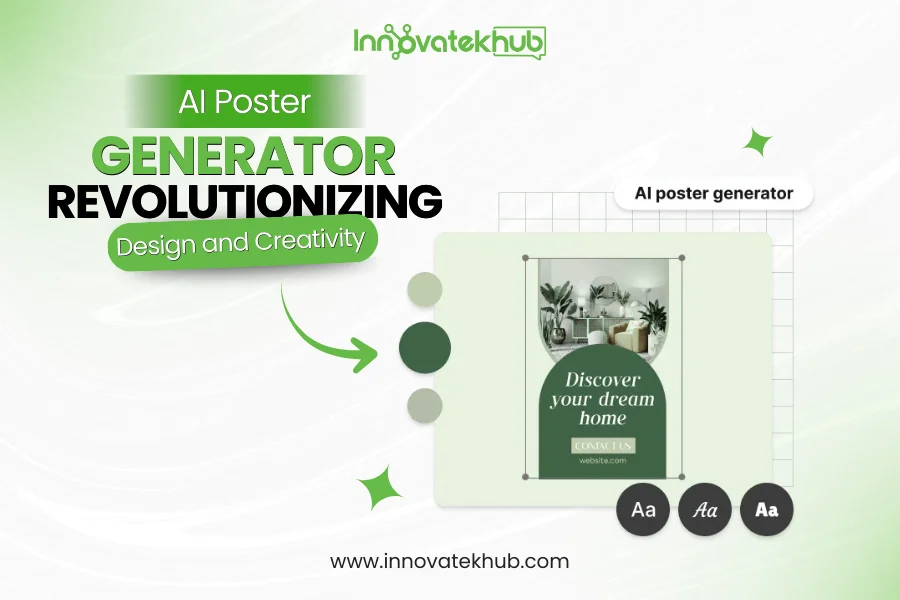
An AI poster generator is a tool that uses artificial intelligence to automatically design posters based on user inputs. These tools typically require minimal effort from the user, who can simply provide a few key details (such as text, images, and themes) and let the AI generate a poster. AI algorithms analyze design principles, color schemes, typography, and visual balance to create a poster that looks professional and visually appealing.
AI poster generators are especially useful for individuals or organizations that do not have access to graphic design software or lack design expertise but still want to create attractive posters quickly. They simplify the design process, making it as simple as filling out a form or selecting a few preferences.
How Does an AI Poster Generator Work?
AI poster generators work through the use of machine learning and artificial intelligence algorithms. These algorithms have been trained on vast datasets of images, fonts, layouts, and design elements to recognize patterns and design aesthetics. When you input your content into the generator, the AI makes decisions based on these learned patterns to assemble your poster.
Here’s a step-by-step breakdown of how an AI poster generator typically works:
- User Input: You start by providing basic information for your poster. This could include the text, images, colors, themes, and style preferences.
- Design Selection: Based on your input, the AI system automatically selects relevant layouts, fonts, and colors that complement the style and tone of the message you’re trying to convey.
- Customizing Layouts: The AI places your text and images in a balanced way, optimizing the layout to ensure the visual elements are appealing and well-structured.
- Final Adjustments: You can make final adjustments to the design, such as tweaking text sizes, changing fonts, or swapping images. Some tools also allow you to adjust specific design elements like the background or positioning.
- Download: Once you’re satisfied with the design, you can download your poster in the format of your choice—ready for printing or online sharing.
This process, which would typically take a professional graphic designer hours or days, can now be completed in a matter of minutes with the help of AI.
Key Features of AI Poster Generators
AI poster generators come with a variety of features to make the design process more accessible and efficient. Some of the key features include:
- Pre-built Templates: Many AI poster generators come with a library of pre-designed templates. These templates cover a range of styles, including minimalist, vintage, modern, and artistic. Templates can serve as a foundation for your design, saving time while still allowing for customization.
- Text Customization: Users can customize the text by adding their own content. Most AI poster generators offer a range of font styles, sizes, and color options. The AI can help adjust text placement for optimal readability and visual appeal.
- Image Integration: AI poster generators often allow users to upload their own images or use stock images. Some tools even suggest relevant images based on your poster’s theme. AI can also auto-crop, resize, and position images for the best effect.
- Theme and Style Selection: You can choose from a variety of themes, such as event promotion, advertisement, motivational quotes, or artistic designs. The AI adapts the layout and design elements to match the chosen style, ensuring a consistent visual language.
- Automatic Color Palette Selection: The AI will automatically select a color scheme that matches your content and theme. It can suggest color combinations that are visually harmonious and suitable for your poster’s purpose.
- Ease of Use: AI poster generators are designed to be user-friendly, making them accessible to anyone, regardless of their design experience. Their intuitive interfaces mean users don’t need to know anything about graphic design software to produce a professional-quality poster.
- Download and Sharing Options: Once your poster is ready, you can download it in multiple formats (JPEG, PNG, PDF) or share it directly on social media platforms or via email.
Benefits of Using an AI Poster Generator
Using an AI poster generator offers several advantages, especially for those looking to create posters without the need for extensive design skills or costly software. Here are some of the primary benefits:
1. Cost-Effective
Hiring a professional designer to create a custom poster can be expensive, especially for small businesses, non-profits, or individuals on a budget. AI poster generators eliminate the need for external designers, offering a cost-effective alternative. Some tools even offer free plans with basic features, while others offer affordable premium plans with additional customization options.
2. Time-Saving
Traditional poster design can take hours or even days, depending on the complexity. With an AI poster generator, the process is incredibly fast. In just a few minutes, you can create a professional-looking poster. This is especially helpful for those who need to create posters on tight deadlines.
3. No Design Experience Needed
One of the most significant advantages of using an AI poster generator is that it requires no prior design knowledge. The AI handles the layout, typography, color schemes, and overall visual composition, so even those with no design background can create beautiful posters.
4. Customizable Results
Although AI generates the poster automatically, most tools allow you to make custom adjustments. You can change the text, images, colors, and other design elements to match your specific preferences, providing a balance between automation and personalization.
5. Variety of Templates and Styles
AI poster generators offer a wide range of templates and design styles, ensuring that you find the right look for your poster. Whether you’re promoting an event, launching a product, or designing artwork for personal use, you’ll have access to multiple styles that suit your needs.
Top AI Poster Generators Available
There are several AI-powered poster generation tools available, each offering different features and templates. Here are some of the top AI poster generators:
1. Canva
Canva is one of the most popular online design tools, and its AI-powered features have made it even more accessible. Canva offers a variety of poster templates, and the AI helps users automatically arrange text and images in a visually appealing way. Canva’s drag-and-drop interface makes it easy to adjust elements and customize designs.
Features:
- Extensive library of templates
- Text and image editing
- AI-powered design suggestions
- Download in multiple formats
2. PosterMyWall
PosterMyWall is an intuitive AI poster generator that helps users create professional posters for events, marketing, and social media. It offers pre-designed templates for various themes, such as concerts, sales, and business promotions. AI-driven design tools help with text positioning, image resizing, and layout optimization.
Features:
- Pre-designed templates
- Easy-to-use drag-and-drop editor
- Free and premium plans
- Stock image library
3. Crello
Crello is another AI-powered design tool similar to Canva, providing an easy platform to create stunning posters, advertisements, and social media graphics. With a library of customizable templates, users can quickly generate posters that fit their needs. Crello also integrates AI to suggest improvements and enhance designs.
Features:
- Thousands of templates
- AI-based design suggestions
- Video and animation support
- Customizable text and images
4. Adobe Spark
Adobe Spark offers a user-friendly platform to create professional posters, social media graphics, and web pages. The AI features in Adobe Spark help users customize designs with ease, while offering multiple templates and style options.
Features:
- Rich template library
- Integration with Adobe Creative Cloud
- AI-powered design adjustments
- Cross-platform design
How to Use an AI Poster Generator
Using an AI poster generator is typically a straightforward process. Here’s a general guide on how to create your own poster:
- Choose a Tool: Select an AI poster generator like Canva, PosterMyWall, or Adobe Spark.
- Select a Template: Browse through the available templates and select one that fits your purpose. Most tools offer categories like events, promotions, and general use.
- Customize Your Poster: Input your text, upload images, and adjust colors and fonts to personalize the design.
- Preview Your Design: Once you’ve made your adjustments, preview the poster to ensure everything looks good.
- Download and Share: When you’re happy with your poster, download it in your preferred format or share it directly to social media.
Conclusion
The advent of AI poster generators has revolutionized the design process, making it easier than ever for anyone to create stunning posters without the need for graphic design expertise. Whether you’re promoting an event, advertising a product, or just creating artwork for personal use, AI-powered tools provide a fast, cost-effective, and user-friendly way to produce professional-quality posters.
On Innovatek Hub, we believe that AI tools like poster generators are helping to democratize design, enabling people of all skill levels to unleash their creativity. By taking advantage of these powerful tools, you can easily create eye-catching posters that stand out, engage audiences, and deliver your message effectively.
Explore the world of AI poster generation and watch as your design ideas come to life with just a few clicks.









No Comments